Remembering Passwords

Posted on 2020-04-05 by Dmitri Zdorov

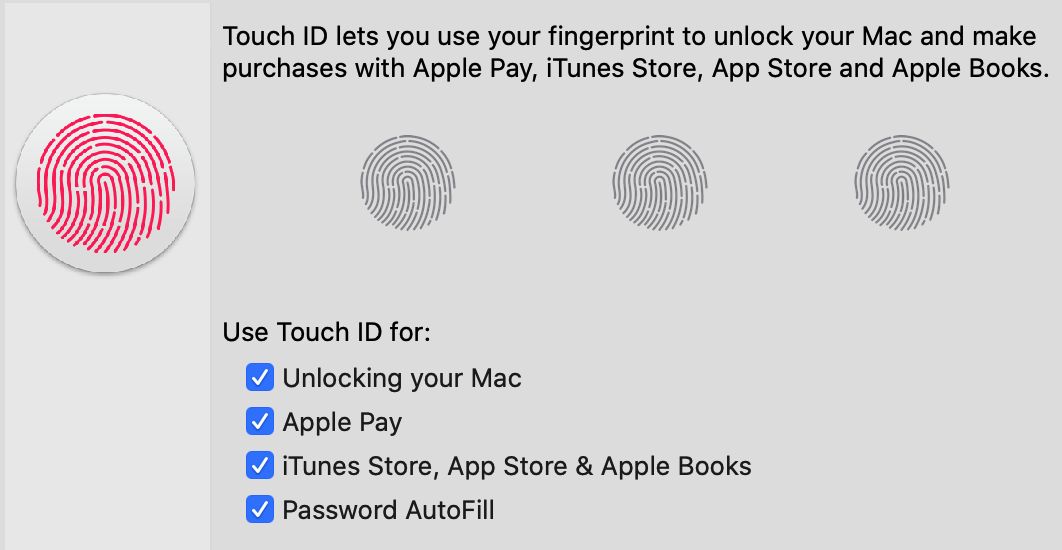
Touch ID dialog

My systems and devices are reasonably secure. Each service I use and every website that I sign up for has a unique and complex password. The passwords are stored in an app called 1Password, protected by strong encryption, so I never lose or forget them. In addition, the app lets me create one-time passwords required for two-factor authentication. I try to use it instead of SMS whenever it's possible.

Many passwords for non-critical places are also saved in the browser. My primary browser is Firefox, and I do have a master password there as well. iPhone and iPads are obviously locked and protected by TouchID or FaceID. They have passwords because some operations still require them. I use a 9-digit one. Since I install 1Password virtually on all devices, I do not have to remember passwords or path phrases. Mostly.

Nevertheless, there are some passwords I have to remember, and at the very least, a few that are convenient for me to remember. So that's what I want to tell you about.

I remember the password for my Mac, I use a local one, and I disable access via Apple ID. My password is the same on all my Macs, and I change it on all of them about once a year. My Apple watch can also unlock newer Macs. My new 16" Macbook Pro has TouchID, which is very convenient and fast. However, there are still cases when I still have to manually enter the password, sometimes multiple times per day, so my fingers remember the array of letters, digits, and special symbols better than my brain.

In general, all Macs have encrypted disks, and the system password unlocks them, but there are a few that have a separate disk encryption pass-phrase. It is one of the things I remember. There are recovery passwords, just in case I store them in 1Password, and I don't remember those at all.

I have to unlock the 1Password vault, and while biometric authentication spares me from typing every time, I still have to type it quite a bit. Currently, I use one vault, though I can create several for different goals.

I remember the Firefox master password. Each time the browser is restarted, I must type it again. It's pretty rare; normally, it stays open for days, but between all computers, it's easy to remember. My Sync password is different from the Firefox account password, which I can't remember. Apple Notes allows users to lock (and encrypt) some notes, so I do that, and I do remember that one as well.

All of my mobile devices have a pin code and SIM card passwords that I change and enable regularly. Usually, Apple watches can be unlocked with iPhones. Still, sometimes I unlock mine with a pin that I remember to enter almost every day.

To access my Android devices, I use an easy-to-remember pattern. It's not as secure, but I don't have any sensitive data on my Android devices.

I am surprised that I remember bankcard pin codes. Although they differ from bank to bank, I make sure they are the same for all the cards from the same bank whenever possible. It's a lot to keep in my head alone because I have so many bank accounts.

There is also a pin code for the building entrance door, but only for the building I live in now.

I also use Windows and Linux, but not all the time, so I remember their passwords only when I use them.

Though that seems like a lot, there are only two passwords you need to remember, one to unlock one of the devices and one to unlock an app that keeps them all. For me, it would be 1Password. In practice, that'd be extreme, and being prepared for quite a few things is much more practical.

The trend among big companies is to eliminate passwords altogether and replace them with some form of the verification system, such as sending a link to the email address or phone number on file. The main reason for this shift is that most users do not want to create unique passwords for different services and prefer to use only one or two passwords for everything. The bottom line is that even if the password is strong, the attack can spread throughout the Internet if the attacker steals it from one of the platforms. Thus, a site with poor security can jeopardize even those with advanced security. Furthermore, many people create trivial passwords that are easy to guess. Platforms can protect themselves against such recklessness by requiring non-trivial passwords. Even so, they really can't protect from passwords being the same everywhere. Authentication via SMS or two-factor (2FA) is much better than single-factor (password only). Yet, there are well-known ways to bypass that, such as intercepting the special code sent via SMS, or by tricking and social engineering the support services, or even by using the authorities. The 2FA protection that relies on key generation (both physical and virtual) of the single-use, time-sensitive keys is very secure but not very popular. Hopefully, it will change.

There is a need to strike a balance between safety and ease of use. Users will find the system unattractive if it is very robust yet cumbersome to use. In other words, either they will find a way to not secure it, or they will just avoid it outright. If you have a lock that is not easy to use, chances are that it will be unused or unlocked all the time. We are becoming more accustomed to the need for good security. Thus, the accepted lever of how much we have to use and remember is rising slowly. Now, what seemed impossible a decade ago is considered acceptable.

I started counting how many of those things I remembered, and I was surprised. The memory, however, is a very unreliable mechanism.

The Innovator's Dilemma

Posted on 2020-01-28 by Dmitri Zdorov

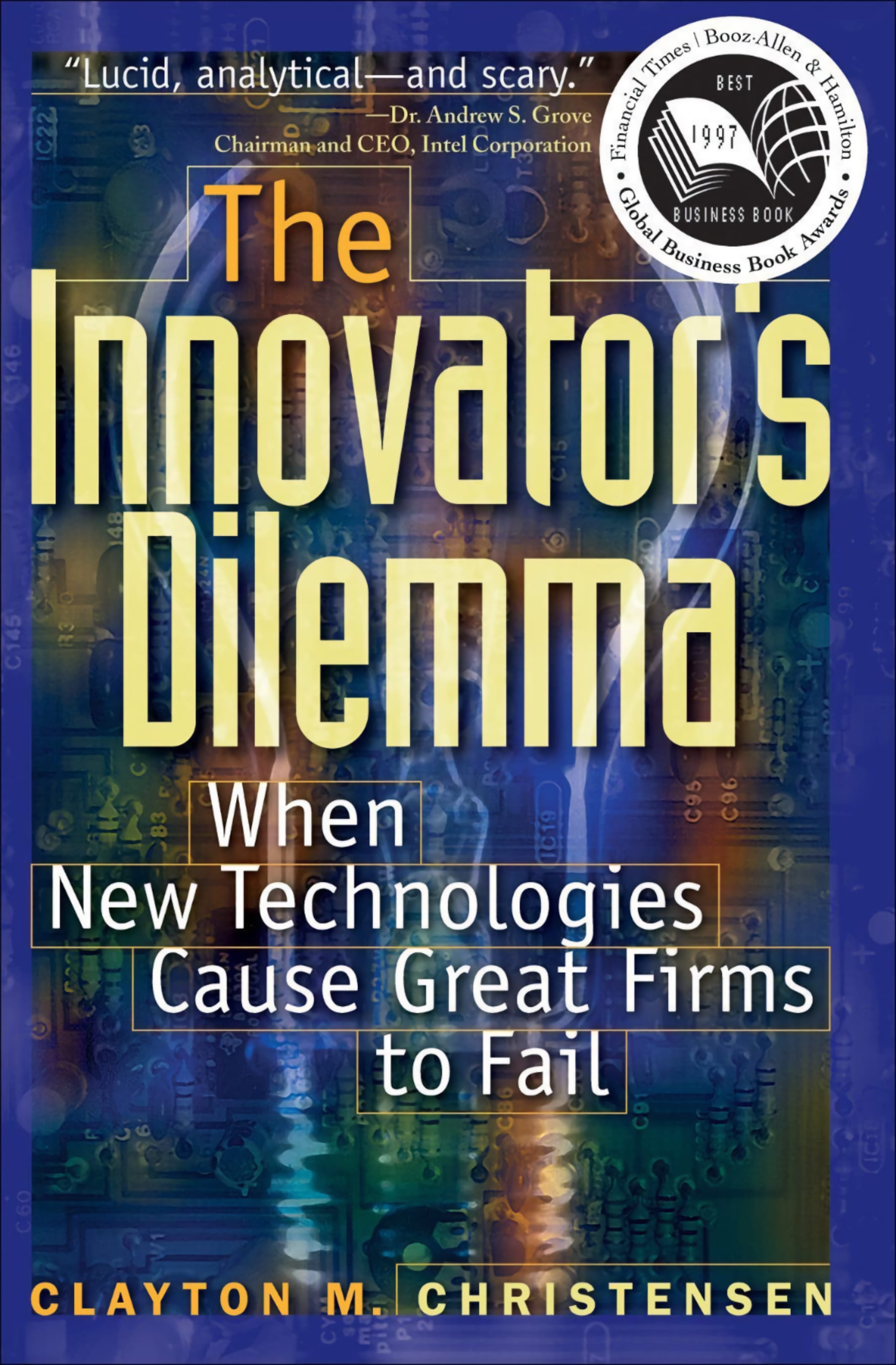
The Innovator's Dilemma

The Innovator's Dilemma came out back in 1997 and had a huge impact on the tech sector, the entire internet boom, and all the startups that followed. I won't rehash it here; you can find the main points on Wikipedia.

And in the book, Professor Christensen actively encouraged questioning his conclusions.

For example, Ben Thompson actively does this on his website, in his newsletters, and on his podcast. I highly recommend checking him out, by the way.

I read the book a really long time ago. But Clayton Christensen passed away the other day, RIP. And while reading the news about it, I found out there's a new, modernized, and expanded edition.

And of course, here's the funny part: at the very end of the book, there's a chapter clearly written before Tesla about what electric cars need to be like in order to disrupt the market.

It's interesting; I know and understand so much more about all this stuff now, so reading it again is a really interesting experience.

Anyway, I recommend it too.

Clayton Christensen — The Innovator's Dilemma

Kindle https://amzn.to/2GuMccs

Audible https://amzn.to/2U4igvQ

The internet is full of links to various PDFs with the full text of the book, so it's generally easy to find if need be.

The book has also been translated into Russian.

What's that?

Posted on 2019-12-05 by Dmitri Zdorov

What's that?

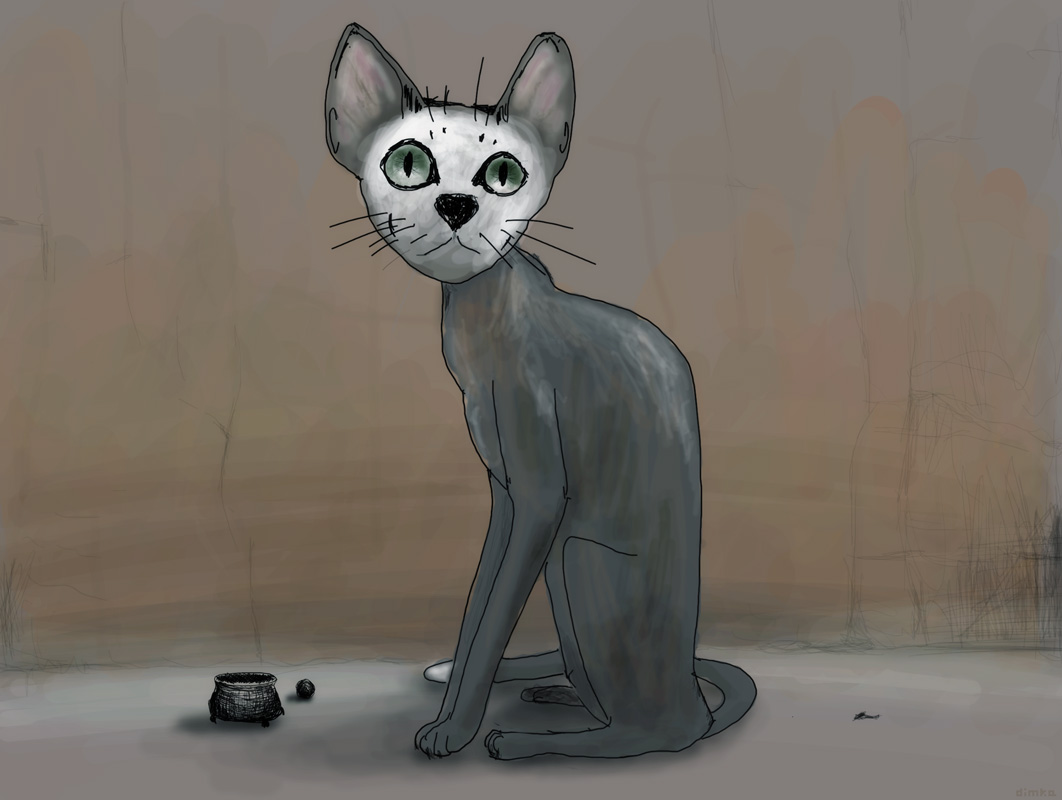
When I was in Arizona, I made a new painting called "What's that?"

World Political Struggles

Posted on 2019-02-19 by Dmitri Zdorov

World political struggles

In countries where people use democratic or at least semi-democratic means to determine political and economic changes, there are two main sides: one side usually leans more toward helping "everyone," while others let markets regulate most things.

The main idea of the libertarians and most other western economists is that the government sucks at almost everything, and too much regulation stiffens the economy. In other words, most things should be left to free-market forces.

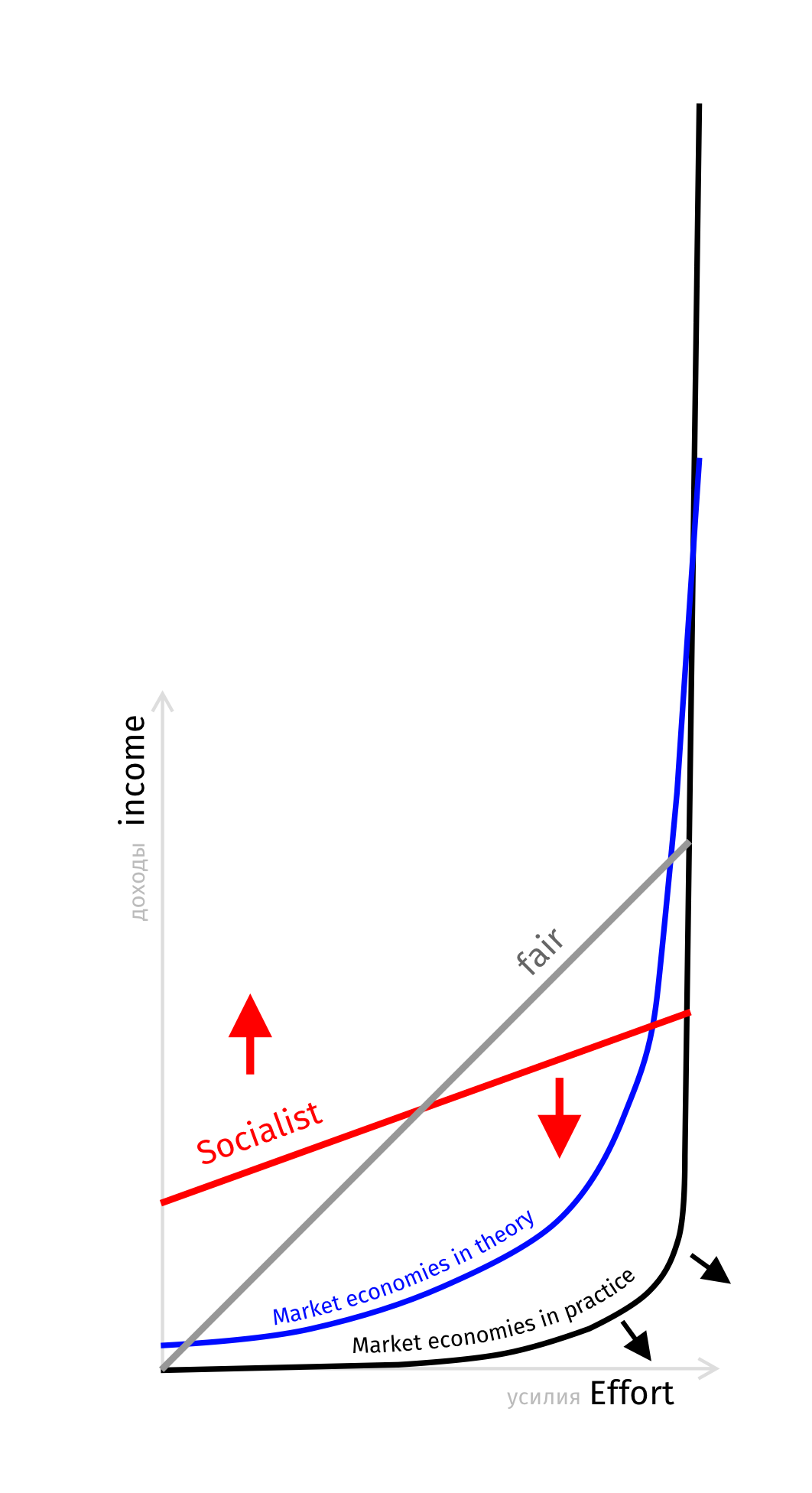
So if that is done right, the amount of earned money will correlate to effort put into the system.

It's a good idea, with fairness in mind, but naturally, it works very differently. Even when all the laws are fair rich and powerful will tend to earn more and more, the poor will make less and less. To such degree that the "fair" 45º slope will turn to a drastic "L" shape, with super-super rich will be making all the money, and the rest 99.99% will be barely surviving. On top of that, it's never all very fair; the system gets corrupt, exaggerating the benefits of the wealthiest and most powerful elite, thus running to "L" shape distribution even faster. That was pretty much the standard from the dawn of civilization till the relatively recent revolutions. Basically, it leads to bloody revolts. So some social safety net was put in place. It's natural for people to help the struggling ones, and some welfare gives good economic results. Then came communists and socialists. Their idea of the distribution is very different. Everyone should get enough, so taking money from the very rich and giving it to the very poor is considered reasonable and practical. But that horrible removed the incentives to work hard. As a result, pretty much all socialist countries did not do well economically.

Modern West is afraid of Socialism, yet influenced by it dramatically. And with the often two-party political system, we see the struggle as following. One side tries to help the poor a lot, the other side tries to oppose it.

Last Day of the Year

Posted on 2018-12-31 by Dmitri Zdorov

Last Day of the Year

It was a challenging year for me. I would not say the worst. I don't know yet. The time will tell.

Free Handwritten Font Slimamif

Posted on 2018-07-01 by Dmitri Zdorov

Last Day of the Year

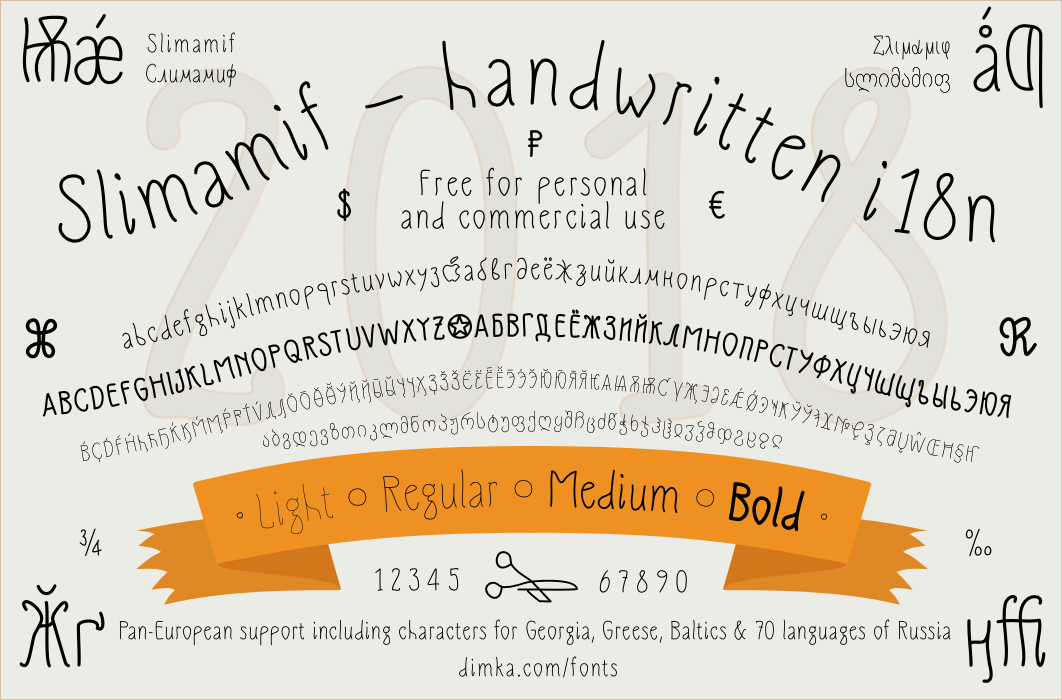
I made a handwritten typeface Slimamif, it's free for both personal and commercial use. It has over 1000 different characters and supports many languages in Latin, Cyrillic, Georgian, and Greek scripts, with lots of various diacritic marks and special glyphs. Stylistically it's thin and something between handwritten and Art Nouveau.

You can download it from dimka.com/fonts

Dimka Inspirational Images

Posted on 2018-04-14 by Dmitri Zdorov

Dimka Inspirational Images

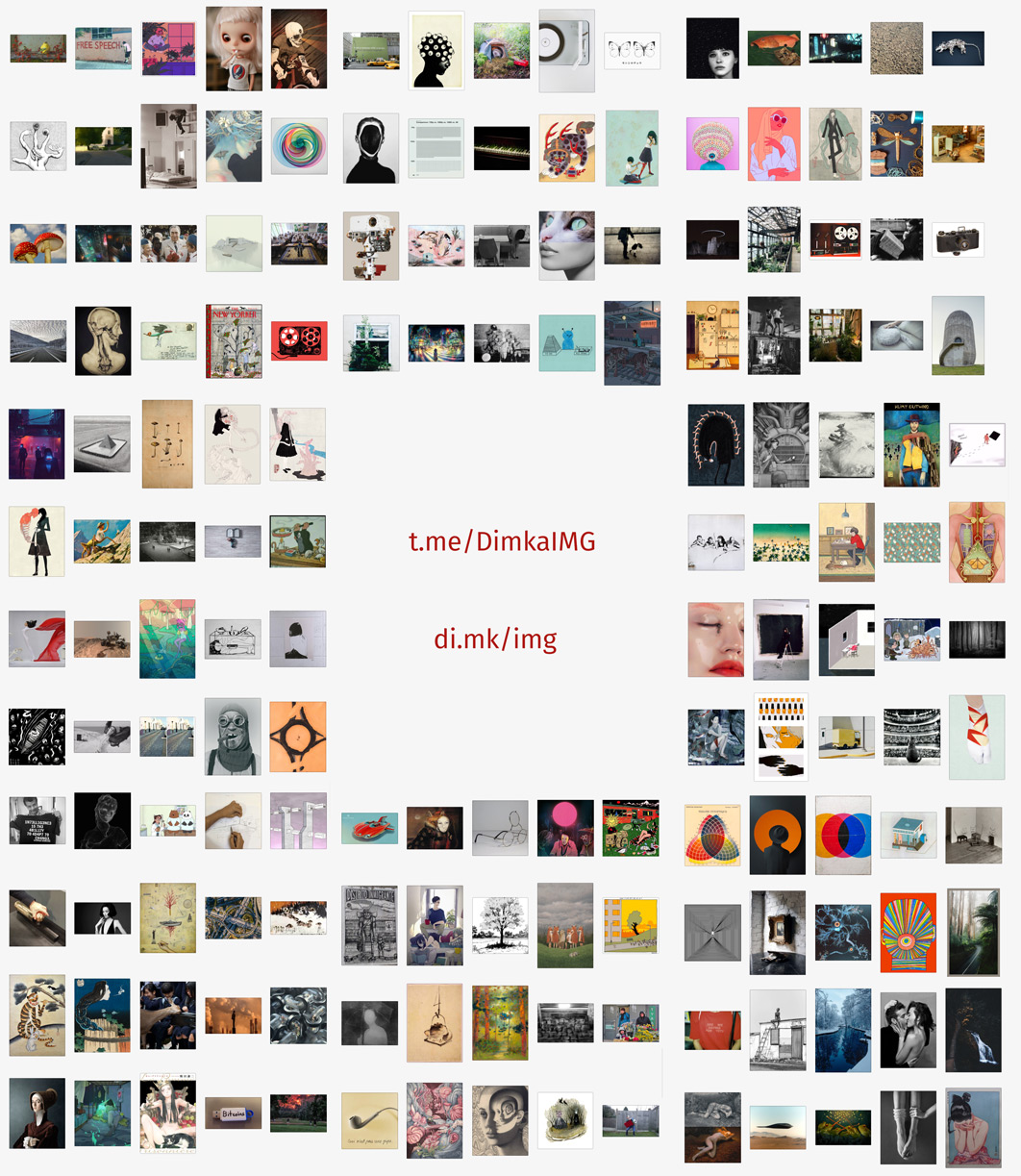
I have a massive pile of images that I collect for inspiration. It's pretty diverse. About a month ago, I started a telegram channel with those inspirational images. The channel's name is DimkaIMG If you use telegram already, you can take a look or even subscribe. t.me/DimkaIMG

Why there? Well, it looks like Telegram messenger is getting momentum. It's like Slack and Whatsapp for the rest of us. It still lacks discoverability, but it will get there. It brings the spirit of freedom, liberty, and not being regulated back to the modern world.

Adventures of Lotte and Her Friends

Posted on 2018-01-18 by Dmitri Zdorov

Adventures of Lotte and her friends

Lotte is a little dog. She has family, a bunch of friends, and actually the whole world. There are a few books, a theme park, and three full-length animated feature films. The stories are lovely, full of humor, kindness, and positive inspirations. It's made in Estonia and Latvia by few local animation studios, and actual stories are quite unique. Songs are great and performed by popular local bands. Even though animation quality, characters, and plots are top-notch and translated to several languages, the marketing is relatively poor, so it's somewhat unknown in the rest of the world.

The three feature animated films are:

  • Lotte Goes South [2001]
  • Lotte from Gadgetville [2006]
  • Lotte and the Moonstone Secret [2011]

All three are great, suitable for kids from the age of 2.5, and fun to watch for animation-loving adults. There is no one plate to point to. I guess their theme park site is the most encompassing one.

Update: Since the time I originally wrote about it, I found two more features: Tom & Fluffy [1997] and Ladybirds' Christmas [2001] and in 2019 came out a whole new one: Lotte and the Lost Dragons.

lottemaa.ee

Bitmap Editors for Mac - Pixelmator Pro, Affinity Photo, Acorn, Photoshop and Others

Posted on 2017-11-30 by Dmitri Zdorov

Adobe Photoshop has been the single real option in bitmap image-editing since the early nineties, but now there are some good competitors if you need to edit bitmap images such as photos, collages, or paintings. There were some graphics programs before too, but it was hard to recommend them to anyone. They either were too specific for a narrow purpose or simply not good. So then things started to change, slowly.

Let’s look at the mac side of things for now. Pixelmator was one of the first attempts. It was much cheaper, it was speedy, and it had many essential features. It was possible to use it as a basic editor, but the interface is the weak part for me. It all comes down to moments when I am using a mac that has Pixelmator, and I need to edit some images, I often would hesitate and eventually will have to switch computers because the other one has Photoshop installed. That is my personal metric – how much I try to avoid using a particular tool. If I do, then the tool is not good enough. So even though I was always trying other editors, I was getting back to Adobe tools.

The first actual switch came with Sketch from Bohemian Software. I used to do all interface and design things in Photoshop and Illustrator, and then boom, no more.

Sketch was better, faster, lighter, and at the beginning, even cheaper, much cheaper. It totally took care of all UI design imaging needs for me, and I use it a lot today. Later I also started using Figma. But both, Sketch and Figma are vector image editors, and I still need a bitmap image editor.

Then I found Affinity Photo by Serif. Also, at exactly the same time, Acorn by Flying Meat released a new version, and I gave it a shot. Finally, there were exciting options. Affinity Photo is a real deal, full-featured alternative to Adobe Photoshop. It’s totally on par with features, few things are not as good, but many features are done even better. Suppose you edit photos and create digital paintings. In that case, Affinity Photo is a great editor, and it’s mature enough to be the go-to app. And it is much cheaper than stuff from Adobe. You can buy it from the Mac App Store, pay once and install it on all your computers connected to the account. They even came up with a version for iPad that is just as good as the mac version. I am pleased with it. Yet, it still feels a bit too new for me, and because of that, I found that sometimes it’s easier to use Acorn. Version 6 is very well done. Long-time Photoshop users will find it very familiar and easy to use. It’s fast and great for all kinds of minor edits. In a way, if you don’t need sophisticated color adjustments and complex manipulations, the tools are even easier to use than Affinity Photo. Still, for my needs, Acorn has a big shortcoming - very poor image export format choice. Because of that, I often just can’t use it.

Affinity Photo has a competitor, too, Luminar from MacPhun. In a way, those two are more alike to each other than to Photoshop, Acorn, and Pixelmator. Yet while they are more similar and comparable for photo editing, I find Affinity Photo is noticeably better when it comes to painting.

Pixelmator Pro

NNow we have one more contender for the Photoshop replacement crown. Pixelmator Pro. It’s too new for me to really judge it. Still, it seems to be a solid competitor to both Affinity Photo and Photoshop from the description and initial impressions. I am sure that there will be few rough edges in the beginning, but I hope they will be polished pretty soon. Thus it’s great news for users.

Lack of real competition stagnated Adobe for a long time, and now they will start to improve faster and in more ways than before.

Adobe has a very strong selection of tools, Photoshop, Illustrator, XD and many many others offer it as part of the Creative Cloud suite or one by one. All of them are high-quality tools, but for me, Adobe’s offering has few downsides: The price of the subscription is a huge thing that always in the air. The other thing that really alienated me was the way they handled the cancellation. I was a subscriber for many years, and one day I thought I am not using it a lot. I have old versions. Why don’t I just cancel it for a while and see how it goes. But it turned out not that easy. My subscription was annual but was paid monthly and had auto-renew. The combination of those two settings made me unaware that if I want to cancel and not lose money, I have to do it exactly on a particular day. Adobe was happy to inform me that I will have to pay $300 just to cancel. That moment it was clear – the subscription model, especially the way Adobe has chosen to use it, does not work for me. But that is for Creative Cloud. I still have purchased the Creative Suite version, and luckily it still works. So I actually sometimes use it.

Affinity Photo is a great editor, has Windows and iPad versions, has a vector counterpart Affinity Designer (there are even some promises of DTP Publisher). A downside for me is the learning curve. I still have to look up and investigate how to do certain things. Current version 1.6* is an improvement, and they seem to continue working hard. Serif also offers lots of great tutorials.

Acorn 6 is a great lightweight tool, but the lack of image format support and few other missing features makes it hard to use as a full replacement.

Pixelmator is a friendly little tool. If you don’t have other editors, it’s possible to use it and get things done. It can even edit vector images too. But the interface is lame. That is addressed with Pixelmator Pro. I got it. I will be trying to use it too. Let’s see how it goes, I think they have good ideas about UI, and some of them will even be adopted by others.

Lower Design Quality Trend

Posted on 2015-03-03 by Dmitri Zdorov

Braun Design

Maybe you noticed too, the quality of interface designs and usability of websites, apps, software in general was improving for a long time, from 90s to about 2011–2012 and then in started to decline. Some will claim that the tipping point was a bit earlier, for some it just happened. But it’s here and the quality will be degrading for a while, until we fix the root cause of this trend. And I want to explain how I see what is the real seed of the problem.

The reason UIs are not improving any more is saddle and many people in the field will overlook it, and this wide overlook has the same cause too.

I am talking about our desire for optimization and improvement. It pushed us to optimize in our work force and in implementation of actual tasks.

It’s become very common for designers to know how to code, at least create some html + css. It’s very common for engineers to be the judges of the interfaces, simply by being the heads of companies. And that is the problem. Through out the history of industrialization virtually every manufacturer was sure that design is a luxury, not-necessary extra, expensive and not appreciated by customers. Design that is “good enough”, done by some engineer as a default first thought is actually good enough. Confronted with evidence of the contrary they simply assure you that in general it might be so, but in their particular case a better design is not needed. It was like that in 19 century and it’s so today. For a while business realities were clearly illustrating the profit-driven necessities of professional design work and thus we see the proliferation of designers who were improving the products left and right. That really helped, but never solved the task of convincing big business owners of the true value of design priorities, the actual consumers hunger for excellent, esthetic, elegant and bravely designed products. In fact they often have giant design departments that create amazing prototypes and concept models that all rejected by management and directed to work on dull, “safe”, not-artsy, not-crazy stuff instead. Yet even that was not that bad when software and later internet and mobile apps became a really big thing. Those innovative companies got rich and started to let designers to do their job and it was improving products constantly. Year after year interfaces were improving, becoming more intuitive, more responsive, more accessible.

Software and internet business grew rapidly, bringing billions and allowing creation of numerous work places for creative professionals. But business is business and it’s tough. The new possibilities opened up with new online educational systems, with improved software tools, with culture of makers and brought us a new trend, that designers can do more than just design. There is no question that good designer must understand how the design will be actually implemented, how it’s being fused with actual product, what are the possibilities, how far the engineers will be able to push it and what is not yet possible. So there is no harm that designers are learning html, css, javascript and even more stuff formally considered the realm of engineering department. Inside any product team there should be people that represent the interests of customers while some are clearly work on the side of makers. Without team members that advocate and fight for what is better for the actual users of the product engineers will create things that only they can and want to use.

When designer is faced with task of implementing the design the line of thinking warps. That illusive moment when the understanding what can be done and how replaced with you will actually have to do it — that when the quality starts to degrade and that is the root of the current trend of diminishing quality of user interfaces.

The coding designer stops seeing the product with the eyes of the consumer and stops advocating for the benefits of some decisions. The creative talent is still there, and if tasked with the pure UI design still can do a great job, but now the actual task is different. And those that stuck with implementation work for a while will fall behind, lose their skill to see products as users.

The true designers will be out-competed by those that can and will also code. More and more young designers will present themselves as universally skilled. Business owners will go back to that comfortable place when having an actual designer is considered to be unnecessary and wasteful. That will be massive and thus the trend will be continue, we are just starting to see the early part of it.

Utilitarianism like that will destroy the level of utility of the products around us. I hope we will be able to stop this notion before it washes away the improvements and expertise in UI we got accustomed in the recent years.

Daily logos

I started writing a blog on this site in 1999. It was called Dimka Daily. These days many of my updates go to various social media platforms and to the /blog here at this site, called just Blog. I left Daily as archive for posterity.